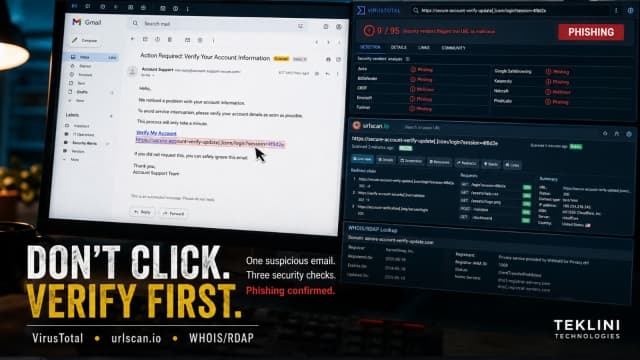
Someone sent me a link. I didn't click it. I investigated it instead.
This happened today.
I received an unexpected email encouraging me to move the conversation to an external website and create an account.
Instead of clicking, I verified the link.
Here's what I found:
🔎 VirusTotal: Multiple security vendors, including Fortinet and alphaMountain.ai, flagged the URL as phishing.
🔎 urlscan.io: The URL revealed a redirect chain involving tracking infrastructure, rather than simply taking me where the message suggested.
🔎 WHOIS/RDAP: The domain was registered in December 2025, used privacy-protected registration, and was sitting behind Cloudflare.
Interestingly, it also had a valid HTTPS certificate.
And that's an important lesson:
HTTPS does not mean a website is trustworthy.
Neither does Cloudflare.
Neither does a professional-looking website.
You need to look at the whole picture.
In this case, the unsolicited message + pressure to register + phishing detections + suspicious redirects were enough evidence for one decision:
I didn't click.
My simple rule:
STOP → INSPECT → VERIFY → DECIDE
Useful tools:
• VirusTotal for reputation and security detections • urlscan.io for URL behaviour and redirects • WHOIS/RDAP for domain registration information
You don't need to be a cybersecurity expert to develop this habit.
The next time an unexpected link lands in your inbox, don't ask:
"Should I click it?"
Ask:
"What evidence do I have that I should?"
Verify first. Click later.
#Cybersecurity #DigitalSafety #TekliniTechnologies